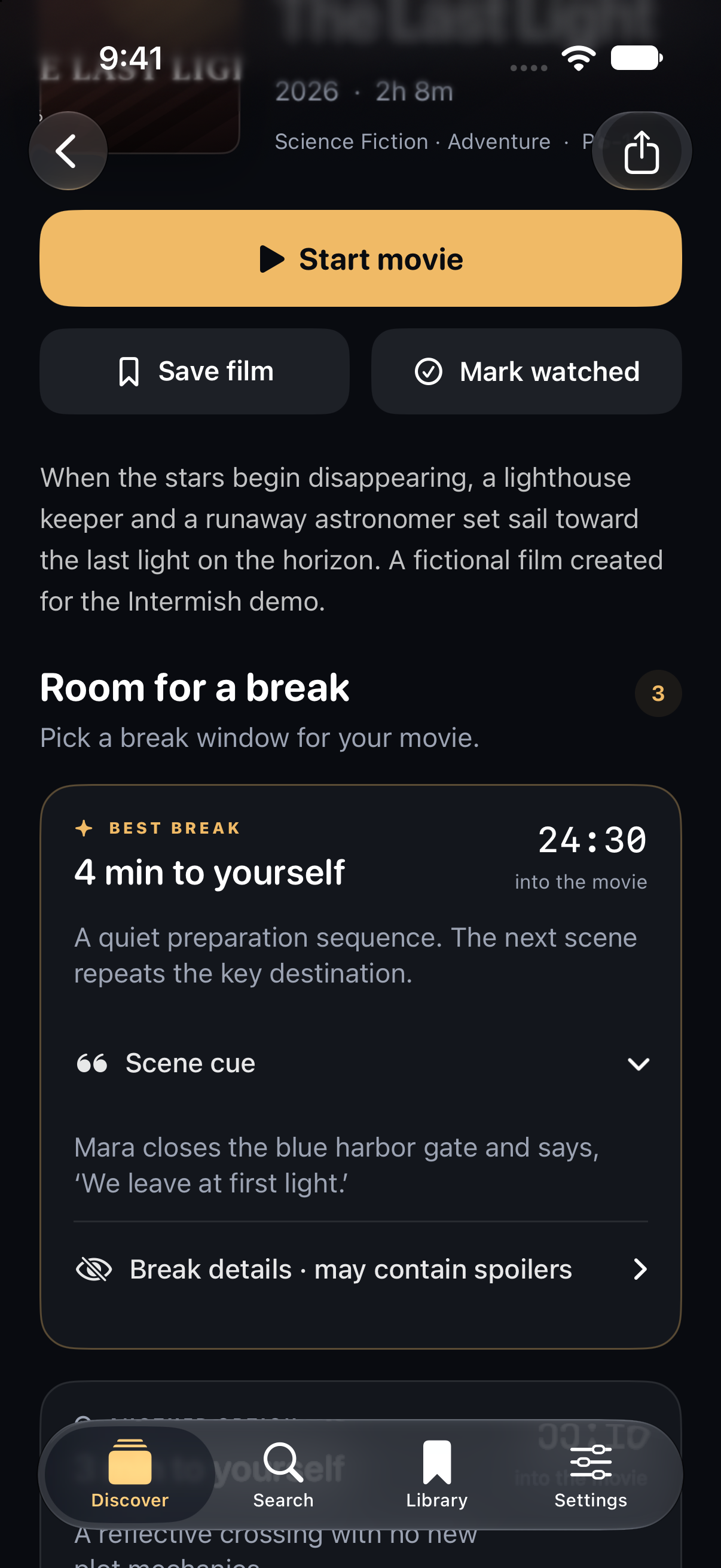
01 / BEFORE THE MOVIE
Choose your window.
Check the break length and starting cue. Start your timer with the movie.
Big movies. Human needs.
Find a moment to step out of the movie, track your break, and catch up with an optional recap.
Bathroom. Coffee. A little breathing room.
In development for iPhone & iPad
One launch notification. Opens a short Google Form.
How we use your email
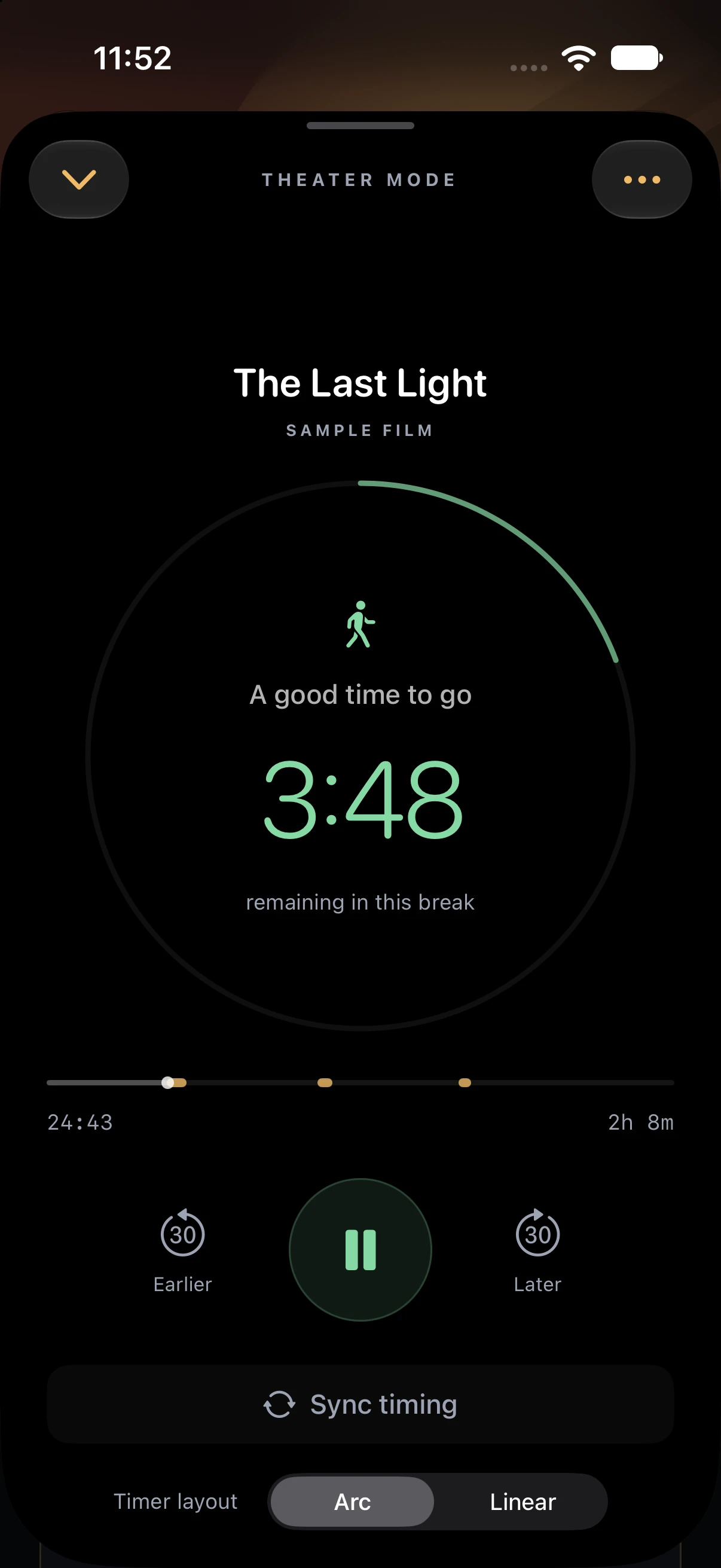
The app, in three moments
Check the break length and starting cue. Start your timer with the movie.
See how much of your break is left. Adjust the timer if your movie timing drifts.
“What did
I miss?”
Reveal what happened while you were away, only if you want to. Read in the lobby.
Real app captures from a development iPhone simulator build, cropped to highlight the guide and countdown. The Last Light is a fictional sample film. Select any image to see the full capture.

Find your moment of relief.
AI-generated scenes with real Intermish app captures, including the recap on the phone. The Last Light is a fictional sample film. Open the video directly ↗
Your break. Your reason.
When “I can hold it” becomes the suspenseful part.
A coffee rescue for the third-act sleepies.
Stretch your legs, refill your water, take a breath.
A call that can’t wait. A kid who needs a moment.
Choose a window that fits. Break lengths vary, and the concession line gets a vote, too.
Be a good seat neighbor
Set up before showtime. Lower your brightness, silence your phone, and keep checks brief and low. Read recaps and take calls in the lobby.
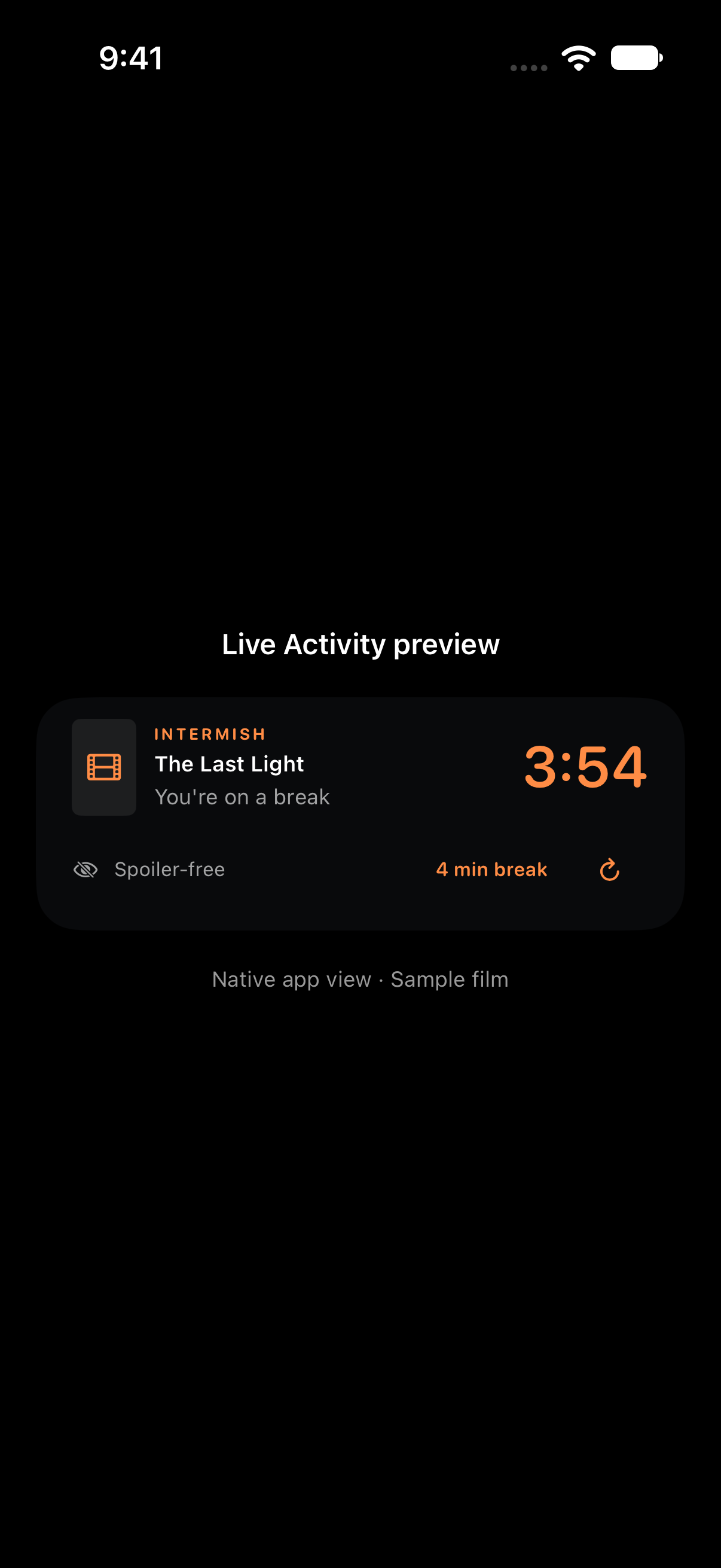
The Lock Screen Live Activity puts the countdown close, without browsing through the app. No plot details on display.
Native Live Activity preview from a development build, shown with sample timing.
Apple Watch Smart Stack
We’re testing a compact Live Activity for your wrist. Delivery on a physical Watch still needs validation; automatic wrist alerts aren’t a verified feature yet.
Requires iOS 18+ and watchOS 11+. A Live Activity, not a standalone Watch app. Use Apple Watch Theater Mode for deliberate, brief checks.
The countdown can keep ticking while the app is in the background, but break-start and break-end states may need a refresh. Use the refresh control or open the app if timing is marked stale. Follow your theater’s device rules; a dark app does not replace low brightness and considerate use.
Before the lights go down
Intermish is in development for iPhone and iPad and isn’t on the App Store yet. Sign up for one launch notification when it’s ready. We haven’t announced a release date.
The launch catalog is still being developed; we’re not promising coverage for every movie. Break guidance requires an available guide for the film you’re watching. These screenshots demonstrate the app with The Last Light, a fictional sample film.
You choose when to reveal a break recap. The Lock Screen countdown does not display plot details, and the fictional film shown here won’t spoil your next night out.
Choose your movie and review its starting cue before showtime. Start the timer at that cue. Use the timing controls to adjust it if you started early, started late, or paused the movie.
Launch signups are collected through Google Forms. Oblique Research uses your email for one Intermish launch notification, not a newsletter. Your response is private. Signing up does not create an app account.
Coming to iPhone & iPad
We’ll let you know when Intermish is ready.
One launch notification. Opens a short Google Form.
How we use your email