The large-soda
situation.
When “I can hold it” becomes the most suspenseful part of the movie. Find a window for a bathroom dash.
Big movies. Human needs.
Great movie.
You still need a moment.
A bathroom dash. A coffee rescue. A minute to reset. Find a break window, step out, and get back to the good stuff.
Meet Scene BreakIn development for iPhone & iPad
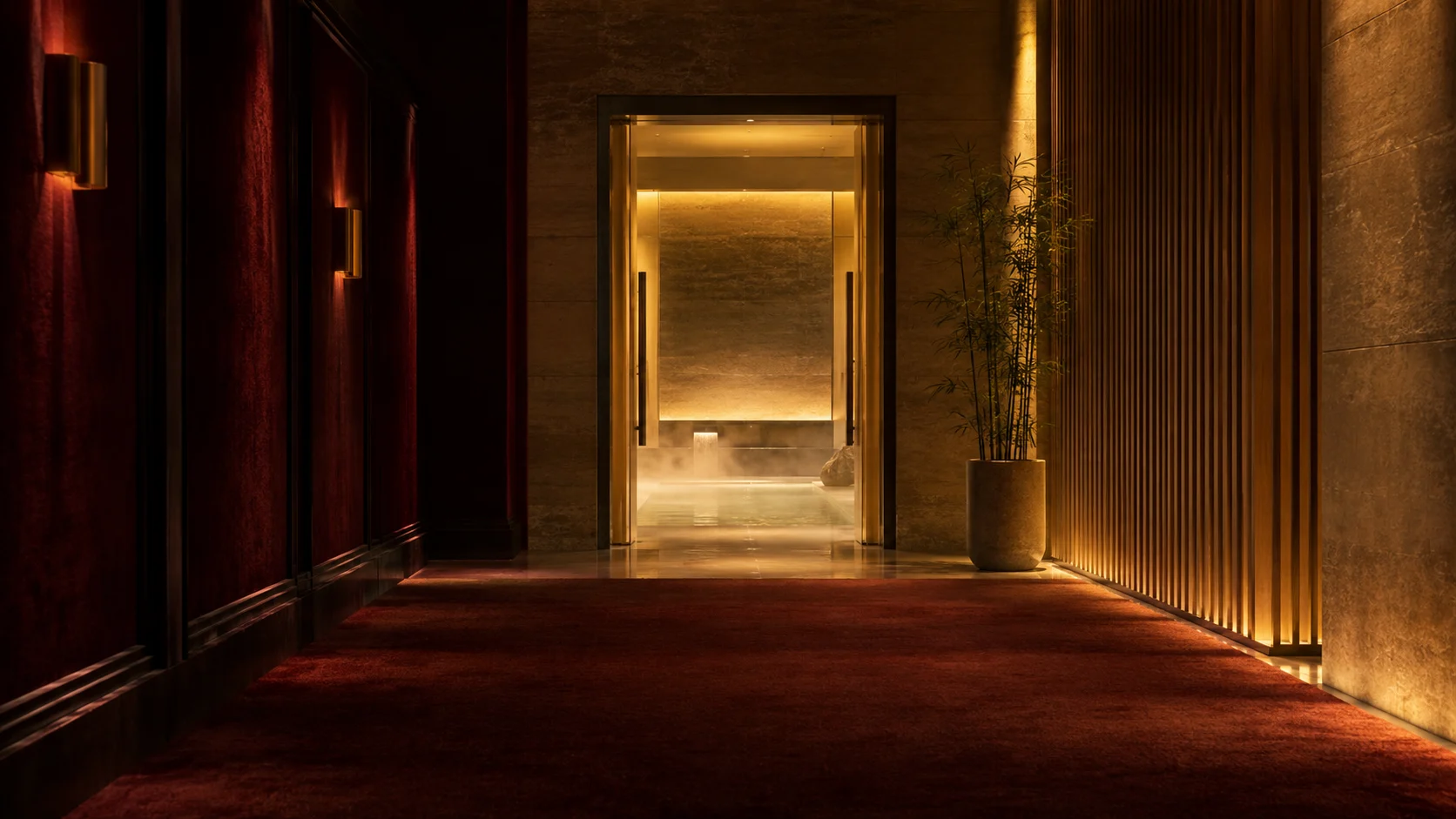
Find your moment of relief.
AI-generated scenes with illustrative alert and recap graphics; actual app capture in the closing card. Open the video directly ↗
Your break. Your reason.
Some movies run long. So does the list of reasons you might need a moment. Make yours a Scene Break.
When “I can hold it” becomes the most suspenseful part of the movie. Find a window for a bathroom dash.
Fighting the third-act sleepies? Check the break window before a coffee run. The concession line gets a vote, too.
Stretch your legs, refill your water, or step into the lobby for a breather. Come back ready for the rest.
A call that can’t wait. A kid who needs a moment. Step outside, take care of it, and catch up when you return.
Pick a window that fits. Break lengths vary by movie; queues and detours may take longer.
Actual app. Actual screens.
Plan before the lights go down. Use the dark timer for a quick check, or glance at the Live Activity on your Lock Screen.
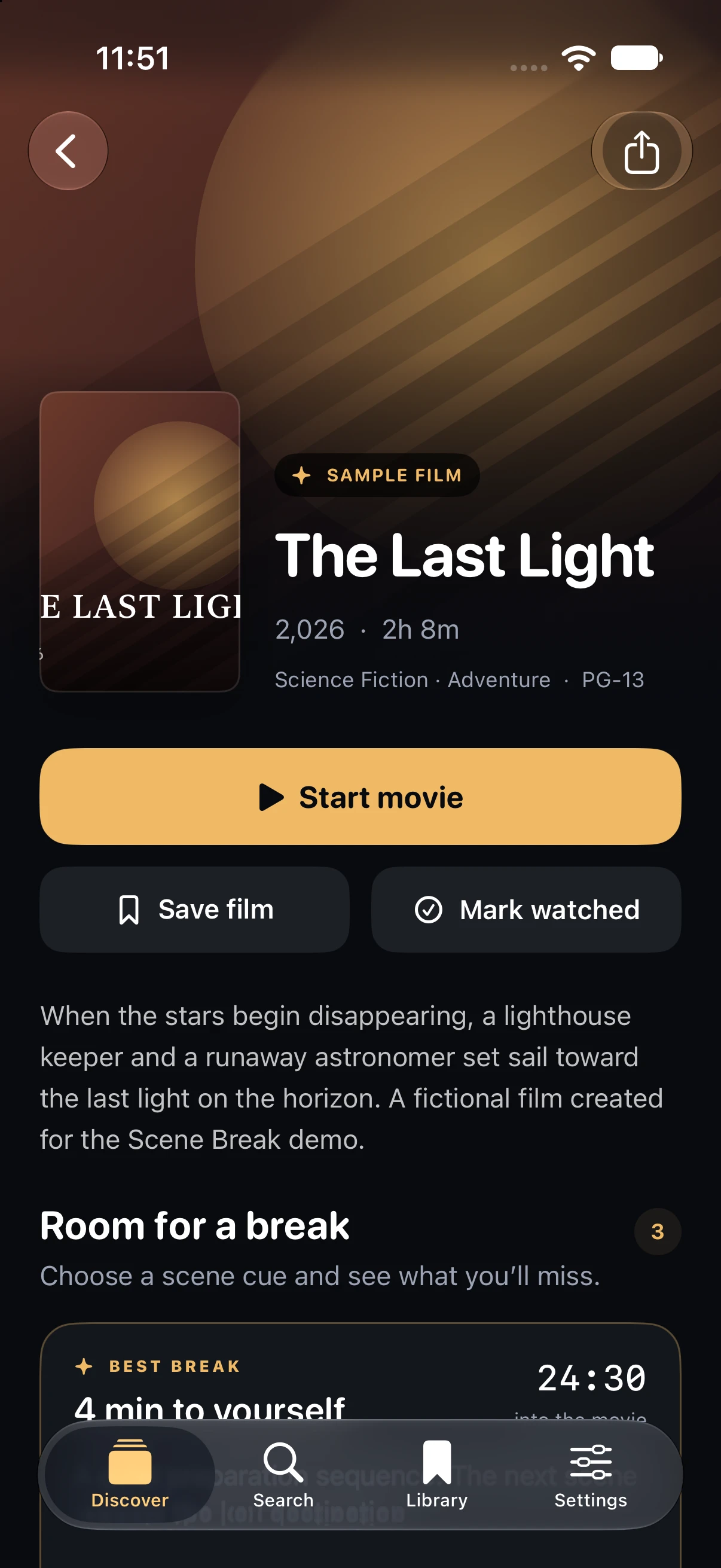
Check the available breaks and starting cue before you settle in. Reveal a recap only when you want it.
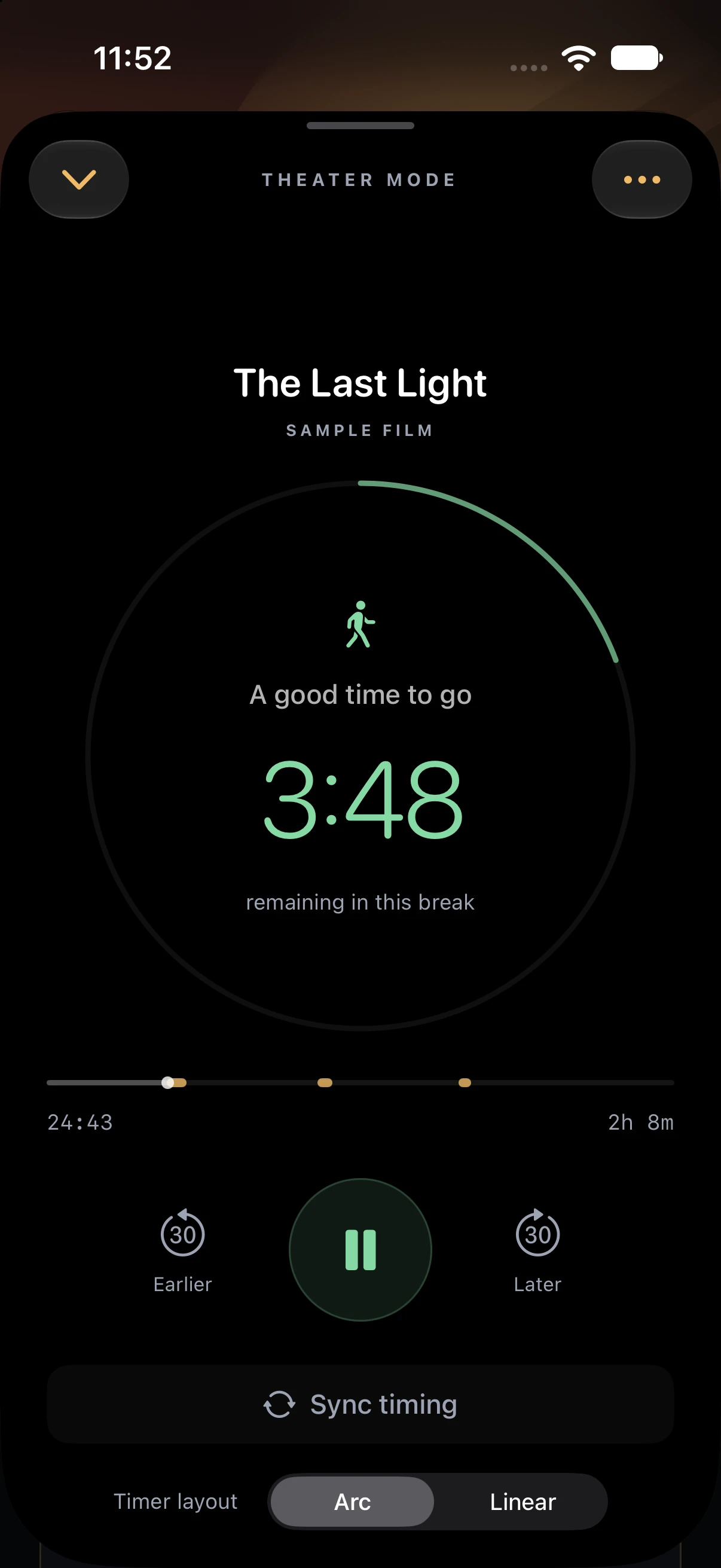
A black background, a readable countdown, and minimal controls. Lower your screen brightness before the film.
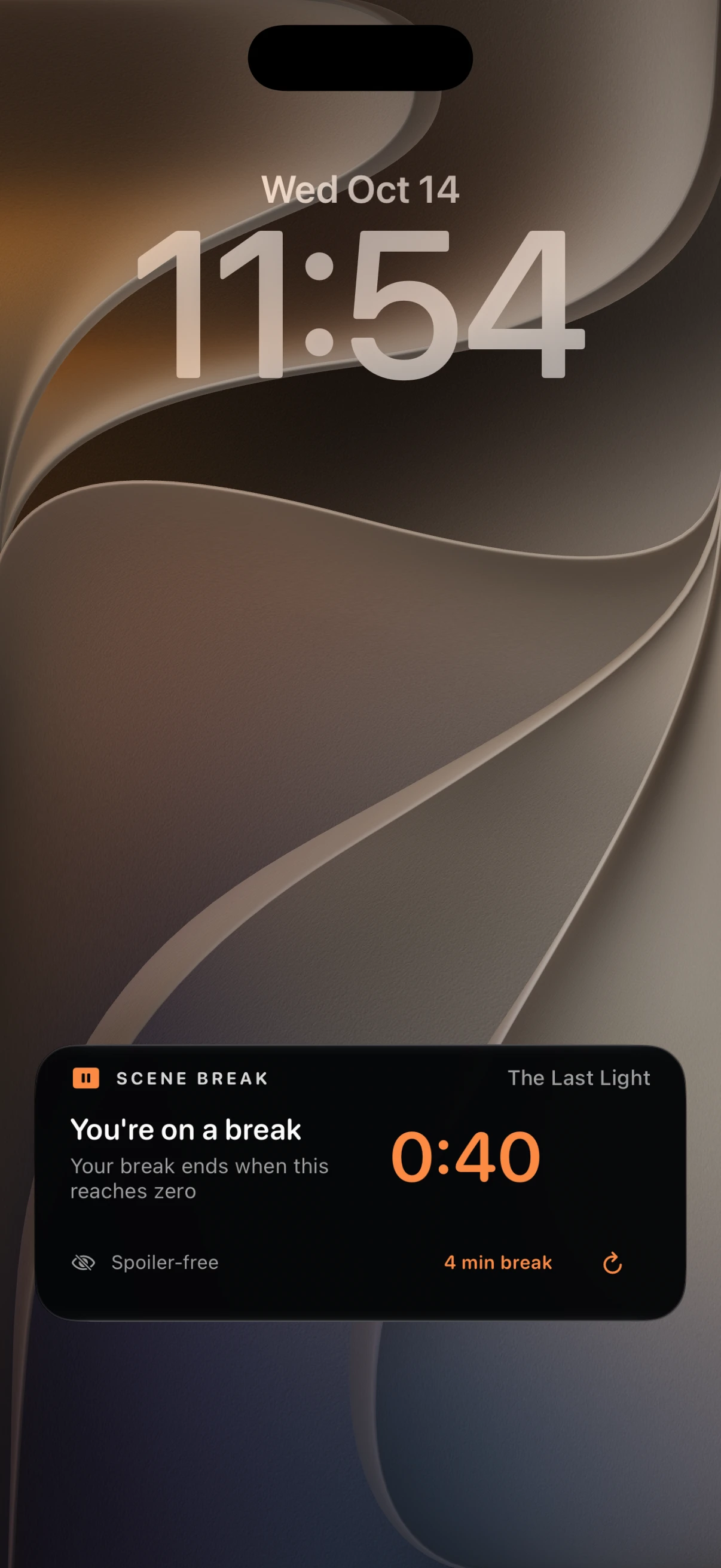
The Lock Screen Live Activity keeps the countdown close. No plot details on display. No need to browse through the app.
Unretouched screenshots from the current iPhone simulator build. The Last Light is a fictional sample film. Tap a screen to inspect it.
Apple Watch Smart Stack
Scene Break includes a compact Live Activity for a paired Apple Watch, putting the movie title and countdown on your wrist. Turn on Apple Watch’s Theater Mode so raising your wrist doesn’t light up the screen; wake it deliberately for a brief check.
Requires iOS 18+ and a paired Apple Watch on watchOS 11+. Physical-device validation of Watch delivery is still pending. This is a Live Activity, not a standalone Watch app.
The countdown can keep ticking while the app is in the background, but break-start and break-end state changes are not yet guaranteed to refresh automatically. Use the refresh control or open the app if timing is marked stale. Automatic wrist alerts are not a verified feature of this build.
Be a good seat neighbor
Before the lights go down
A movie-break companion being built for iPhone and iPad. It brings together break windows, a movie timer, and recaps so stepping out can feel a little less like a gamble.
The idea is to let you choose when to reveal a break recap. The screenshots use a fictional movie, so you can explore them without spoiling your next night out.
Not yet. Scene Break is in development, and movie coverage is still being built. Break guidance depends on an available guide for the film you’re watching.
Scene Break isn’t available on the App Store yet. We’ll add the download link here when it’s ready. Until then, explore the actual app screens and watch our film, “Inner Peace.”
Coming to iOS
For your bladder. Your coffee craving. Your restless legs.
And everyone you’d otherwise ask, “What did I miss?”